
Favorite Apps
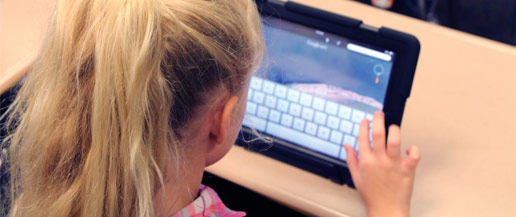
The following are some of my favorite science apps with my rating of 1 to 5 stars. Any app that has a 3 star or higher review is definitely worth buying. You will notice I tend only to list those apps that have 4 or 5 stars. I feel these are the ones that kids will play over and over again, while many other educational science/math/enginnering apps are ones that are only played for 10 minutes, then dropped.
- Monster Physics (5 stars) I would like to give this app more than 5 stars, it’s really great. Actually everything done by Dan Russel-Pinson and his company Freecloud Design is pure gold. This app allows one to build 2D machines using solid parts, connectors such as pivots or ropes, motors, propellers, rocket engines and much more. Missions including training and tutorial missions present a challenge, and a machine needs to be build to solve the problem. There is also a built mode where you can just create your favorite machine. As an engineer I really enjoy this app and my 4-year-old grandson can solve some of the problems with a little help from grandpa! The graphics, sounds and music are all 5 star!
- Leo’s Pad (5 stars) This apps is actually an story/movie done with 3D computer animations, dialog and even songs teaching kids about problem solving. The animated movie is Hollywood (or at least TV) quality using 3D models of the characters that look great. As you watch this movie, it will pause and present activities to be done. Some involve shapes and colors, others putting together some object like a telescope with the various components like the eyepiece for example. There are activities involving art, mixing of colors and others all based around a story involving a science based story. A word of warning. The app comes with episode 1, and at the time of this review 2 more episodes were available. But my 4-year-old grandson and I enjoyed the first episode so much, we had to get all 3. I did not time him, but it seems to take 20-30 minutes to complete an episode. However he loves to go thru them again and again and they keep his attention.
- Fun Science Lab (4 stars) What I especially like about this app is that it contains many types of sciences combined in one app. There are about 9 different areas you can go to from the main screen. These areas each have some science principles are taught in short games or challenges to complete. Science topics include hot air, water flow, mixing colors, magnetism, sounds, propulsion, electricity and others. Each area has 3 levels and the challenges at each level may take several tries to complete.
- StarWalk Kids (5 stars) I’ve been a fan of StarWalk every since it came out and use it for finding stars in planets in the night sky. I was excited to see the Kids version come out on iOS devices including Apple TV. Using movies, photographs and diagrams, kids learn about the planets, stars and constellations.
- Jr Astronaut - Breaking through the space barrier (5 stars) This is an interactive book that guides you through the material and has numerous multimedia/games to play that reinforce the written material. I think this is good for a parent and child ages 4 and up or can be played along by a good reader age 6 and above. Many principles of rockets and space are taught in this app including the history of rockets back to the Chinese.
- Off the Rails (5 stars) This game teaches kids about physics as they design and ride roller coasters. Its another game from Freecloud Design (see Monster Physics above). While the game helps visualize like centripetal force and G-forces.
- Tower Math 5* (5 stars) This is my favorite arithmetic game and surprise surprise, its from Freeload Design.
- Slice Fractions (5 stars) Slice fractions is an excellent game for teaching kid about fractions by diving objects into pieces. The game play is addictive & graphics excellent, & best of all its free.
- Little Builders (5 stars) This game is like a simulation where you help out with many types of construction tasks such as pouring a concrete slab for the floor of a house, adding trusses for the roof, putting on roofing tiles, digging a basement & more. The graphics are 3D & are excellent and the user interface works well for even preschoolers. The gameplay fun & kids learn many aspects of home construction.
Please use the contact form to let us know your favoriate science app and we will be sure to review it also.